> For the complete documentation index, see [llms.txt](https://docs.synaps.app/llms.txt). Markdown versions of documentation pages are available by appending `.md` to page URLs; this page is available as [Markdown](https://docs.synaps.app/collaborate/organise-spaces-and-projects.md).
# Organise spaces and projects
Keep projects in spaces, move them within a team and manage their names and thumbnails.
## Find your work
Select the correct team at the top left. Use **Home** for your starting options and recent work, **Recent** for recently edited projects, or choose a space in the sidebar.
The sidebar search filters spaces by name.
## Create or rename a space
1. Click **+** beside **Spaces** to create a space.
2. Enter its name and press **Enter**.
To rename an existing space, right-click it and choose **Rename space**. You need editing access.
## Manage a project
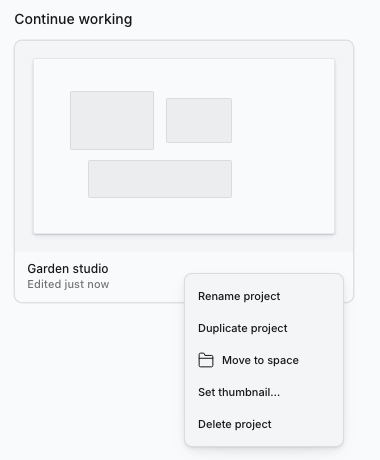
Right-click a project card to open its menu.
Right-click a project card to see the actions available to your role.
| Action | What to do |
| --------------------- | ----------------------------------------------------------------------------- |
| **Rename project** | Enter the new name and press **Enter**. |
| **Duplicate project** | Create a separate copy of the project and its pages. Plan limits still apply. |
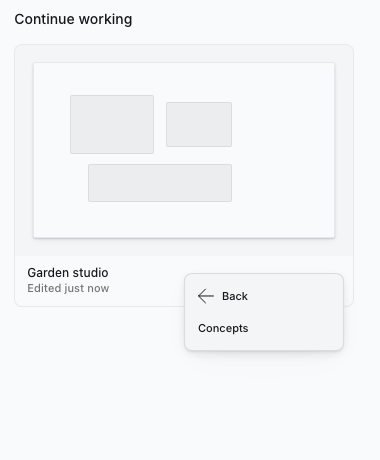
| **Move to space** | Choose another space in the same team. |
| **Set thumbnail…** | Select an image from your computer for the project card. |
Rename, duplicate, move and thumbnail changes require editing access.
Choose the destination space; this action does not move a project to another team.
## Delete a project or space
{% hint style="warning" %}
The dashboard's Delete action takes effect immediately, without a confirmation dialog. There is no restore control in the dashboard. Export anything you need first; move projects you want to keep out of a space before deleting it.
{% endhint %}
Right-click a project card and choose **Delete project**, or right-click a space and choose **Delete space**. These actions require owner access.
## Related guides
[Open your first project](/get-started/open-your-first-project.md) · [Share your project](/get-started/share-your-project.md).